
Remodel*

Give any website a new look with one sentence. Type a style, and Remodel redesigns the page. Links, search and forms keep working.

cyberpunk / futuristic Reskin this page

Before / after

Same website. Different world.

Drag the handle to compare. Every after-shot is a real result from the extension, not a mockup.

Reskin
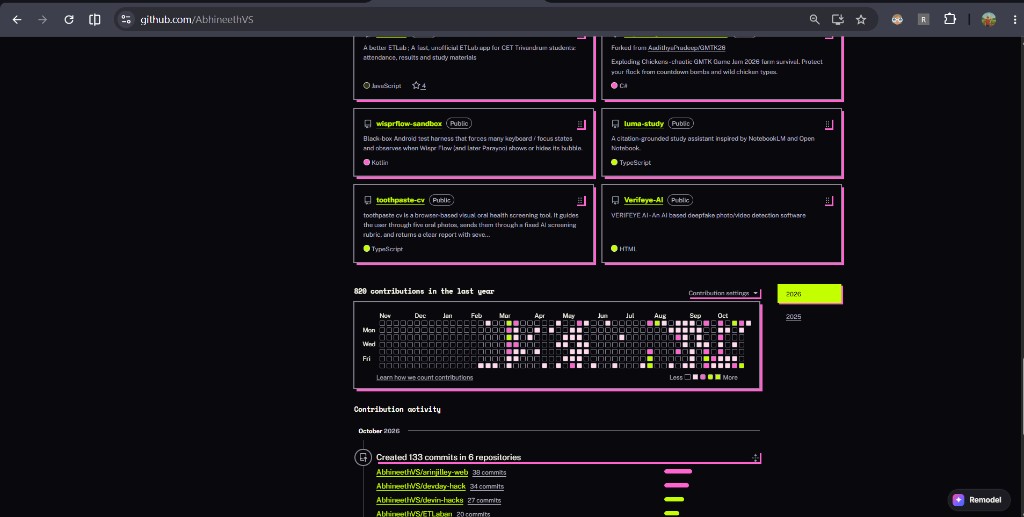
GitHub after a cyberpunk reskin: same layout, with neon pink borders and type
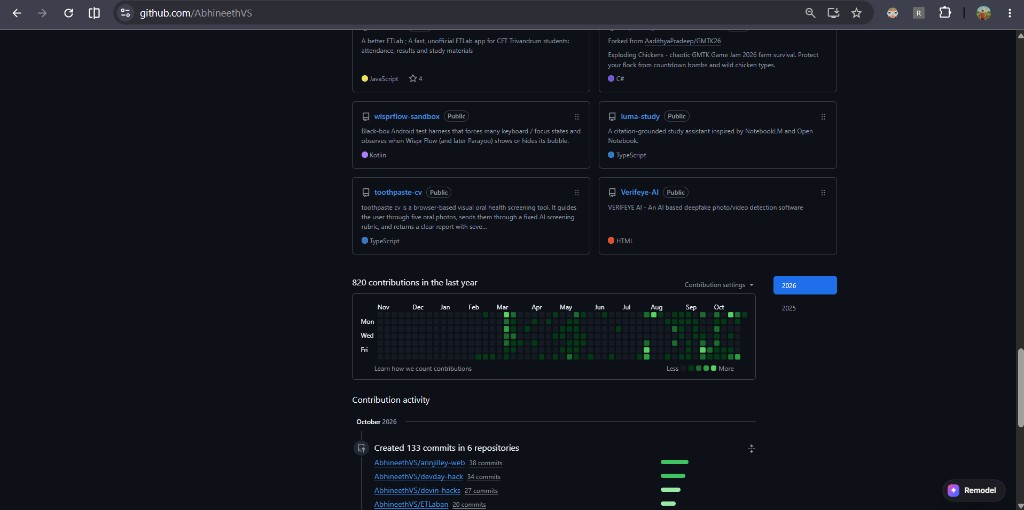
GitHub before reskin, the original profile page
Before After

GitHub, “cyberpunk / futuristic”. Reskin: the layout stays the same, and the colours, fonts and shapes change.

Demos

Watch it repaint the web. Four live runs.

How it works

Two ways to remodel. Pick by how far you want to go.

Reskin

Most websites

Keeps the page exactly where it is and repaints it with new colours, fonts, rounded or sharp corners, and shadows. One model call returns a small theme, and a deterministic engine applies it.

Time to apply
~10s
Layout shift, same fonts
0 px
Reuse on other sites
Instant

Rebuild

Wikipedia · HN · IRCTC

Designs a brand-new page from the content, with its own layout and scroll animations. The AI-written renderer runs in a sandbox with no extension access, then the AI reviews a screenshot of its own result.

Layout
New
IRCTC search
Real trains
Self-check
Built in

Suggest prompts

Not sure what to type? Remodel looks at the page and suggests three styles.

Reuse a style

A style you made on one site applies instantly on another.

Alt+R

Before / after switch

Flip between the original and the new design in one keystroke.

Remix a section

On Wikipedia, hover over any section and restyle just that part.

Watch it work

Five little cursors visibly edit the page while it designs: retyping headings, moving blocks, picking colours.

Self-check

After a rebuild, the AI looks at a screenshot of its result and fixes obvious mistakes.

Install

Running in a minute. Your key stays in your browser.

  1. 1
    Open chrome://extensions and turn on Developer mode.
  2. 2
    Click Load unpacked and choose the extension folder.
  3. 3
    Open any website and click Remodel in the bottom-right, or press Alt+Shift+M.
  4. 4
    Paste your OpenAI API key.
  5. 5
    Type a style and press Reskin this page, or Remodel this page on supported sites.
AbhineethVS / devin-hacks Source, setup notes, change log and technical contracts.

Good to know

  • Pictures and logos keep their original colours, so a logo drawn for a light background can look off on a dark skin.
  • On IRCTC, Remodel stops at train search. Login, booking and payment happen on the real IRCTC site.
  • New fonts are metric-matched, but a line can occasionally re-wrap.